
Data Deletion
Last updated: June 18, 2026
1. In-App Account Deletion
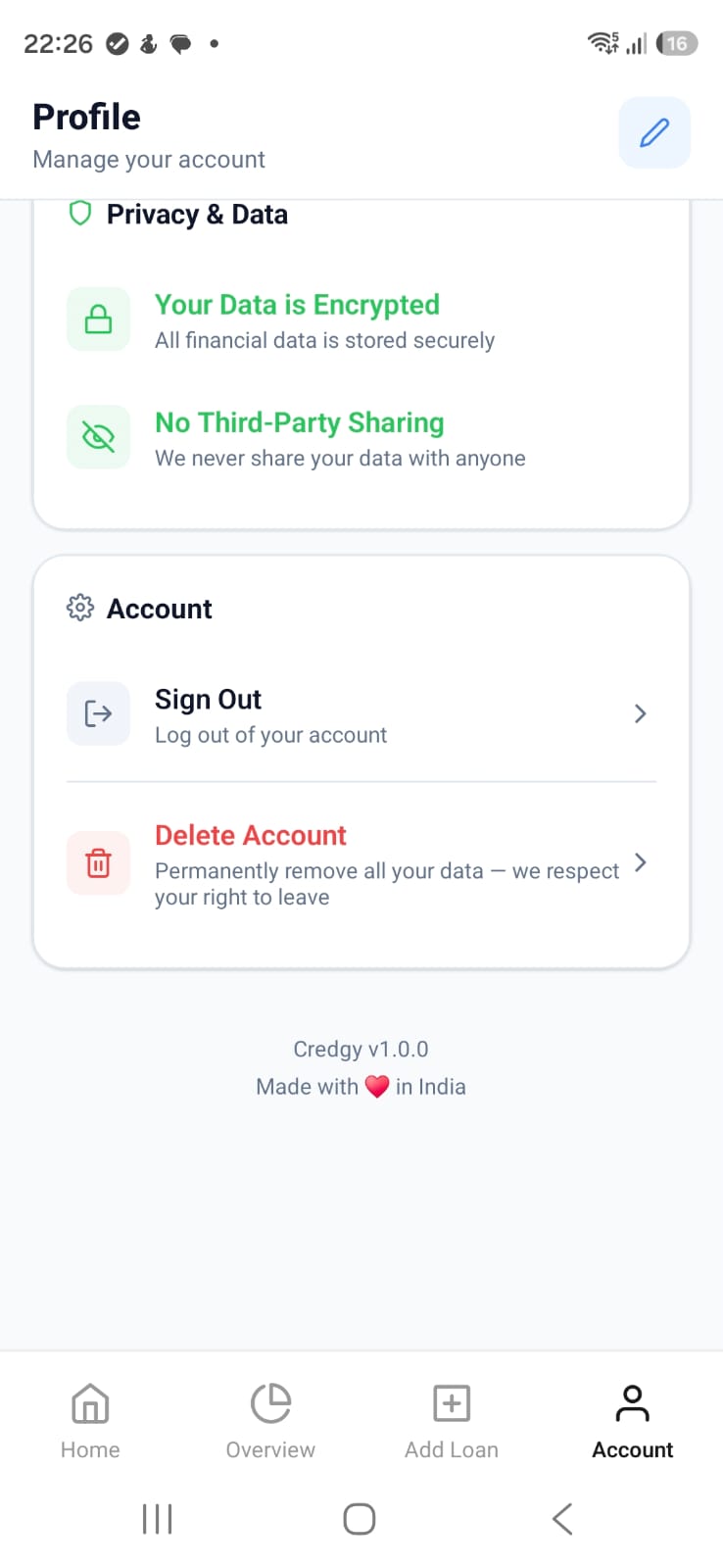
You can delete your account directly from the Credgy mobile app using the built-in profile settings flow.
- Log in to your Credgy mobile app account.
- Open the Profile section.
- Tap Delete Account.
- Review the warning and confirm the action.
- Complete OTP or confirmation steps if prompted.
2. Alternative Request Method
If you cannot access your account, email reach@credgy.com from your registered email address for manual support.
3. Verification
To protect account security, we may verify your identity before processing deletion requests.
4. Processing Timeline
- Acknowledgment: within 3 business days.
- Completion target: within 30 days, unless law requires longer.
- Confirmation: notification once deletion is completed.
5. What Gets Deleted
- Profile and account metadata.
- User-created loan and simulation records.
- Associated preferences and app settings.
6. What May Be Retained
Certain records may be retained where required by law, fraud prevention obligations, accounting, dispute resolution, or security investigations.
7. Backup and Log Removal
Data scheduled for deletion may persist temporarily in encrypted backups and system logs until normal rotation cycles complete.
8. Contact
Deletion requests: reach@credgy.com